I've created a Github repo that has all the source code related to this question. I'm able to load build/index.html in the browser after running npm install. However, when I view the sources tab in Chrome, I don't see the source maps associated with the .tsx files.
Here's a screenshot of what I see:
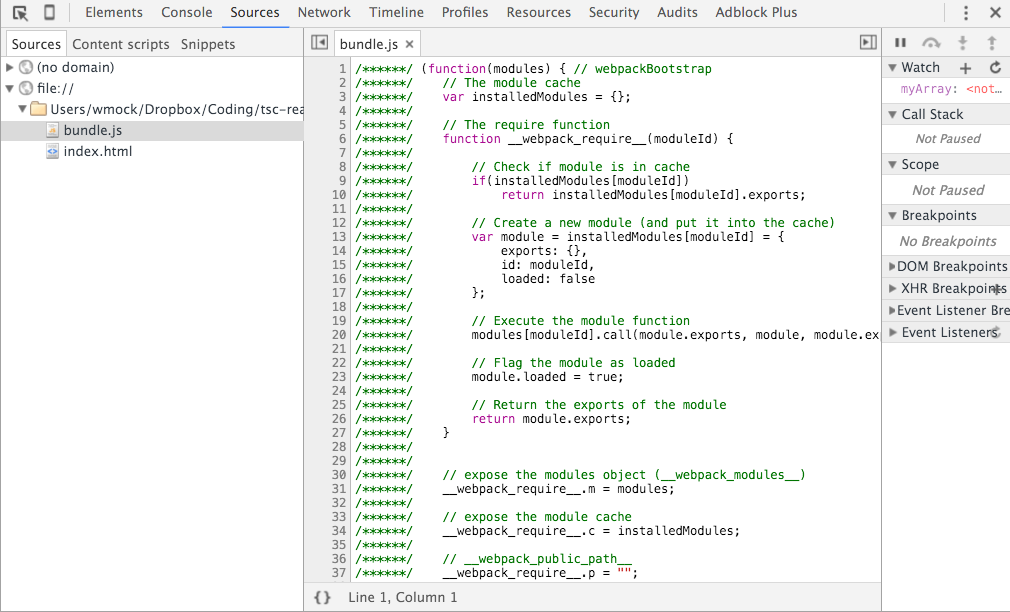
I've added sourceMap: true in my tsconfig.json as well as debug: true and devtool: "source-map" in my webpack.config.json. Any thoughts on what I'm missing here?
EDIT:
This might be a silly question, but do you have to use webpack-dev-server in order to see the sourcemaps?
2 Answers
Answers 1
Your tsconfig.json might be well.
Try in your webpack.config.js either devtool: "inline-source-map" or remove the two options od debug and devtool complete. In my case I don't need them.
Answers 2
I had to add a filepath for the sourcemap file. Take a look at the output part of this webpack.config.js: https://github.com/nwinger/reactreduxtodo/blob/master/webpack.config.js

0 comments:
Post a Comment